mirror of
https://github.com/LogicLabs-OU/OpenArchiver.git
synced 2026-04-06 00:31:57 +02:00

125 lines
6.3 KiB
Markdown
125 lines
6.3 KiB
Markdown
# Open Archiver
|
|
|
|
[](https://www.docker.com)
|
|
[](https://www.postgresql.org/)
|
|
[](https://www.meilisearch.com/)
|
|
[](https://www.typescriptlang.org/)
|
|
[](https://redis.io)
|
|
[](https://svelte.dev/)
|
|
|
|
**A secure, sovereign, and open-source platform for email archiving and eDiscovery.**
|
|
|
|
Open Archiver provides a robust, self-hosted solution for archiving, storing, indexing, and searching emails from major platforms, including Google Workspace (Gmail), Microsoft 365, PST files, as well as generic IMAP-enabled email inboxes. Use Open Archiver to keep a permanent, tamper-proof record of your communication history, free from vendor lock-in.
|
|
|
|
## 📸 Screenshots
|
|
|
|

|
|
_Dashboard_
|
|
|
|

|
|
_Archived emails_
|
|
|
|

|
|
_Full-text search across all your emails and attachments_
|
|
|
|
## 👨👩👧👦 Join our community!
|
|
|
|
We are committed to build an engaging community around Open Archiver, and we are inviting all of you to join our community on Discord to get real-time support and connect with the team.
|
|
|
|
[](https://discord.gg/MTtD7BhuTQ)
|
|
|
|
[](https://bsky.app/profile/openarchiver.bsky.social)
|
|
|
|
## 🚀 Live demo
|
|
|
|
Check out the live demo here: https://demo.openarchiver.com
|
|
|
|
Username: admin@local.com
|
|
|
|
Password: openarchiver_demo
|
|
|
|
## ✨ Key Features
|
|
|
|
- **Universal Ingestion**: Connect to any email provider to perform initial bulk imports and maintain continuous, real-time synchronization. Ingestion sources include:
|
|
- IMAP connection
|
|
- Google Workspace
|
|
- Microsoft 365
|
|
- PST files
|
|
- Zipped .eml files
|
|
|
|
- **Secure & Efficient Storage**: Emails are stored in the standard `.eml` format. The system uses deduplication and compression to minimize storage costs. All data is encrypted at rest.
|
|
- **Pluggable Storage Backends**: Support both local filesystem storage and S3-compatible object storage (like AWS S3 or MinIO).
|
|
- **Powerful Search & eDiscovery**: A high-performance search engine indexes the full text of emails and attachments (PDF, DOCX, etc.).
|
|
- **Thread discovery**: The ability to discover if an email belongs to a thread/conversation and present the context.
|
|
- **Compliance & Retention**: Define granular retention policies to automatically manage the lifecycle of your data. Place legal holds on communications to prevent deletion during litigation (TBD).
|
|
- **Comprehensive Auditing**: An immutable audit trail logs all system activities, ensuring you have a clear record of who accessed what and when (TBD).
|
|
|
|
## 🛠️ Tech Stack
|
|
|
|
Open Archiver is built on a modern, scalable, and maintainable technology stack:
|
|
|
|
- **Frontend**: SvelteKit with Svelte 5
|
|
- **Backend**: Node.js with Express.js & TypeScript
|
|
- **Job Queue**: BullMQ on Redis for robust, asynchronous processing. (We use Valkey as the Redis service in the Docker Compose deployment mode, but you can use Redis as well.)
|
|
- **Search Engine**: Meilisearch for blazingly fast and resource-efficient search
|
|
- **Database**: PostgreSQL for metadata, user management, and audit logs
|
|
- **Deployment**: Docker Compose deployment
|
|
|
|
## 📦 Deployment
|
|
|
|
### Prerequisites
|
|
|
|
- [Docker](https://docs.docker.com/get-docker/) and [Docker Compose](https://docs.docker.com/compose/install/)
|
|
- A server or local machine with at least 4GB of RAM (2GB of RAM if you use external Postgres, Redis (Valkey) and Meilisearch instances).
|
|
|
|
### Installation
|
|
|
|
1. **Clone the repository:**
|
|
|
|
```bash
|
|
git clone https://github.com/LogicLabs-OU/OpenArchiver.git
|
|
cd OpenArchiver
|
|
```
|
|
|
|
2. **Configure your environment:**
|
|
Copy the example environment file and customize it with your settings.
|
|
|
|
```bash
|
|
cp .env.example .env
|
|
```
|
|
|
|
You will need to edit the `.env` file to set your admin passwords, secret keys, and other essential configuration. Read the .env.example for how to set up.
|
|
|
|
3. **Run the application:**
|
|
|
|
```bash
|
|
docker compose up -d
|
|
```
|
|
|
|
This command will pull the pre-built Docker images and start all the services (frontend, backend, database, etc.) in the background.
|
|
|
|
4. **Access the application:**
|
|
Once the services are running, you can access the Open Archiver web interface by navigating to `http://localhost:3000` in your web browser.
|
|
|
|
## ⚙️ Data Source Configuration
|
|
|
|
After deploying the application, you will need to configure one or more ingestion sources to begin archiving emails. Follow our detailed guides to connect to your email provider:
|
|
|
|
- [Connecting to Google Workspace](https://docs.openarchiver.com/user-guides/email-providers/google-workspace.html)
|
|
- [Connecting to Microsoft 365](https://docs.openarchiver.com/user-guides/email-providers/imap.html)
|
|
- [Connecting to a Generic IMAP Server](https://docs.openarchiver.com/user-guides/email-providers/imap.html)
|
|
|
|
## 🤝 Contributing
|
|
|
|
We welcome contributions from the community!
|
|
|
|
- **Reporting Bugs**: If you find a bug, please open an issue on our GitHub repository.
|
|
- **Suggesting Enhancements**: Have an idea for a new feature? We'd love to hear it. Open an issue to start the discussion.
|
|
- **Code Contributions**: If you'd like to contribute code, please fork the repository and submit a pull request.
|
|
|
|
Please read our `CONTRIBUTING.md` file for more details on our code of conduct and the process for submitting pull requests.
|
|
|
|
## 📈 Star History
|
|
|
|
[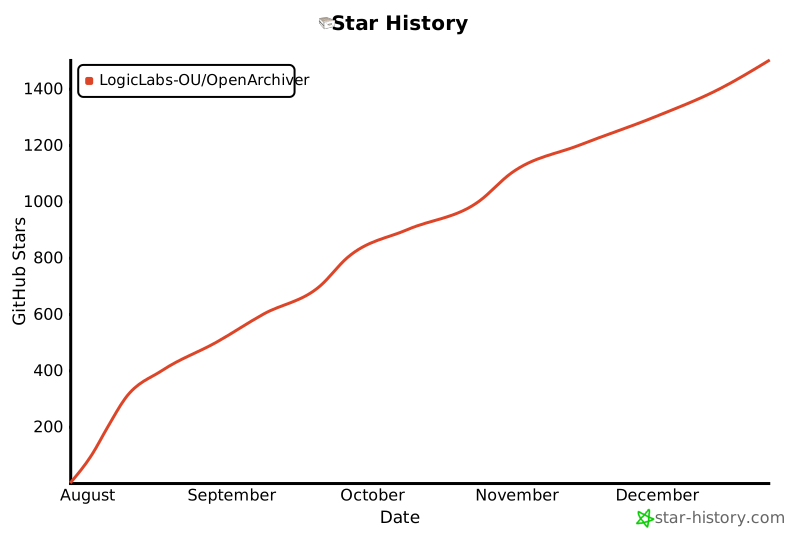](https://www.star-history.com/#LogicLabs-OU/OpenArchiver&Date)
|