Nginx config issue with WHMCS - store.css not found #449

Closed
opened 2026-04-05 20:27:53 +02:00 by MrUnknownDE · 0 comments
Owner

Originally created by @azcomputerservices on 1/1/2023

CloudPanel version(s) affected

2.2.0

Description

Whenever you enable the Marketplace store products, the pages for each theme cannot find or load the store.css file located in the /templates/theme-name/css/ folder although it is there.

This might have something to do with the nginx rules but am unsure how to fix it.

How to reproduce

  • Create new site, use WHMCS template
  • Install WHMCS
  • Activate the marketplace products at /admin/marketconnect.php
  • View store product page at /index.php?rp=/store/ssl-certificates
  • View source and you can see 404 for store.css
  • Go directly to the /templates/theme-name/css/store.css and it will show not found
  • Verify via ftp and ssh that it is there.

Possible Solution

Update nginx.conf to take into consideration store.css
To fix it, I went ahead and renamed all store.css to theme1.css and replaced all references in the template files from store.css to theme1.css and it loaded just fine.

Additional Context

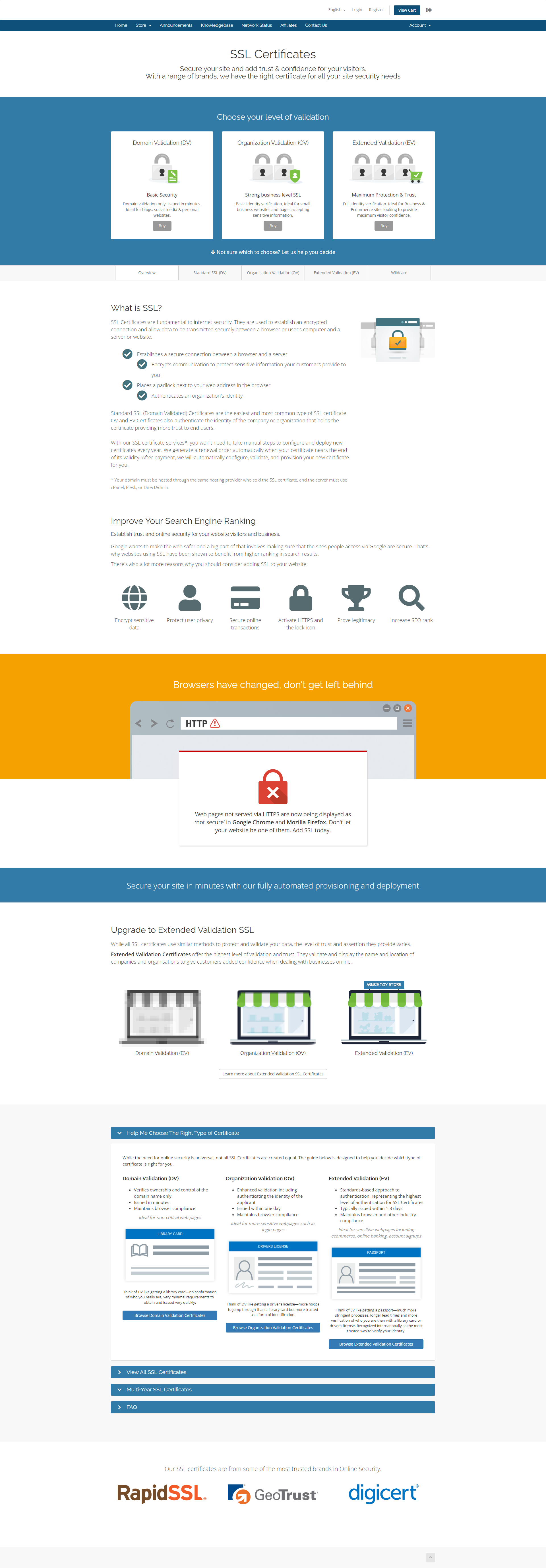
full-page-issue

go directly to file and it gives the following which it should output the css

error

what is should look like
full-page what its supposed to look like

*Originally created by @azcomputerservices on 1/1/2023* ### CloudPanel version(s) affected 2.2.0 ### Description Whenever you enable the Marketplace store products, the pages for each theme cannot find or load the store.css file located in the /templates/theme-name/css/ folder although it is there. This might have something to do with the nginx rules but am unsure how to fix it. ### How to reproduce - Create new site, use WHMCS template - Install WHMCS - Activate the marketplace products at /admin/marketconnect.php - View store product page at /index.php?rp=/store/ssl-certificates - View source and you can see 404 for store.css - Go directly to the /templates/theme-name/css/store.css and it will show not found - Verify via ftp and ssh that it is there. ### Possible Solution Update nginx.conf to take into consideration store.css To fix it, I went ahead and renamed all store.css to theme1.css and replaced all references in the template files from store.css to theme1.css and it loaded just fine. ### Additional Context ![full-page-issue](https://user-images.githubusercontent.com/121069378/210158472-1f4d00df-a08c-4d73-bd5a-5970d163faa0.png) go directly to file and it gives the following which it should output the css ![error](https://user-images.githubusercontent.com/121069378/210158473-54b08de2-9d0f-4b26-bbdd-c26cdae6087f.png) what is should look like ![full-page what its supposed to look like](https://user-images.githubusercontent.com/121069378/210158474-efadd289-87bc-424e-a4c2-df1a5ab8e55a.png)
Sign in to join this conversation.